Keyring Air / In development
Air.
The compact keyring.
Own board, portrait screen, thin.
Early adopters · Jan–Feb 2027
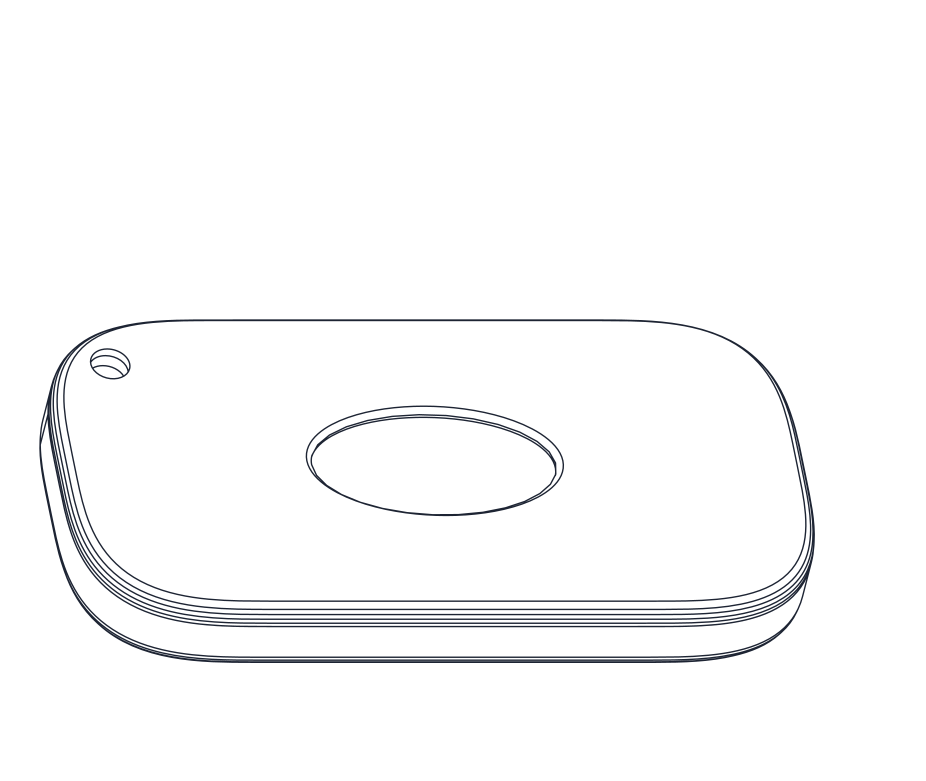
Drawn from the case model. Seven parts, assembled at the factory.
01 / Size
Car-key size.
Outlines to scale. Raily Air in blue; the dashed outline is Keyring P1, the DIY kit you can build today.
* Sources and estimates
02 / Screen
A face, a glyph,
one word.
Real frames from the firmware, at true size and timing in the screen window.
02 / Screen · every state
Twenty-four screens.
Four languages, or icons only.
Each one animates as the keyring draws it, 64 × 128 pixels. The words change with the language picked above.
- OffThe default
- AwakeNothing known yet
- PressedThe press frame
- SearchingAfter a press
- Check your phonePress result
- No luckThe press failed
- No linkPhone out of reach
- Set me upNew keyring
- Open the appProfile not ready
- On watchAgent working
- PausedSearch paused
- TalkingAgent speaks
- Found youSomeone pressed for you
- PeopleOn your own wake
- PeopleOn a self-wake
- NobodyNothing new
- LookingPeople look at you
- RequestNotification
- AcceptedNotification
- ReportNotification
- TalksNotification
- DoorNotification
- QuestionYour agent asks
- DroppedIt fell
03 / Inside
Our own board.
Nothing to solder.
Assembled at the factory and closed with four screws from the back.
Case finish
One colour all round.
Plastic or aluminium.
Turn the keyring with your finger and switch the finish: Raily Blue in fine matte plastic or matte anodised aluminium, or aluminium in natural silver. Colour final by the physical sample.
Drag to turn
04 / In action
See Air at work. Real app, real recording
One press, then the people.
05 / Out of the box
Open the box.
Your agent is already looking.
06 / Status
Where Air is now.
Want one today? Build Keyring P1
Pins × Raily / Product vision
Raily knows who fits.
Pins tells it when to look.
Profile, Brief and Focus explain who matters and why. Pins adds the missing context of the moment: one physical gesture tells the agent, “I am here. This matters now.”
- 01
Press
BLE event
- 02
Phone
Location + internet
- 03
Raily
Profile + Brief + Focus
- 04
Check
Thresholds + veto + consent
- 05
Result
Notification, report or intro
Location narrows an eligible Raily pool; it never replaces compatibility or scans random people nearby.
An introduction happens only after mutual consent. Automatic signalling arrives later and only through explicit opt-in.
Roadmap
One agent loop.
Three devices.
The same button and the same Raily agent at every step. Each one makes the object smaller.
-
P1 Available today
Keyring P1
Validate the ritual
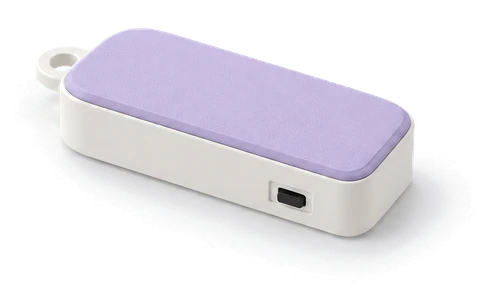
Ready-made boards and a 3D-printed case prove the whole loop: press, phone, Raily, result. Build it yourself today.
- Button + haptic confirmation
- BLE event + phone location
- Raily candidate check
- ≈65 g, 20.9 mm thick
-
Air Jan–Feb 2027 You are here
Keyring Air
Reduce the form
Our own board in a car-key-sized case, 9.1 mm thin, with a portrait screen. Assembled and tested at the factory.
- Own board, nothing to solder
- Portrait screen + haptic motor
- Early adopters first
- ≈35 g, 9.1 mm thin
-
Pin Later
Pin
Wear it
The same agent logic in a thinner, wearable object for clothing or a lanyard.
- Custom circular board
- Magnetic back + lanyard
- Opt-in automatic mode
Early access
Be among the first.
Early adopters, Jan–Feb 2027.
Leave your email and we write when early-adopter spots open. Only about Keyring Air, and every email has a one-click unsubscribe.